
diados
Extension of the Day

diados

5.0 FREE
  • Screenshot 1

Description

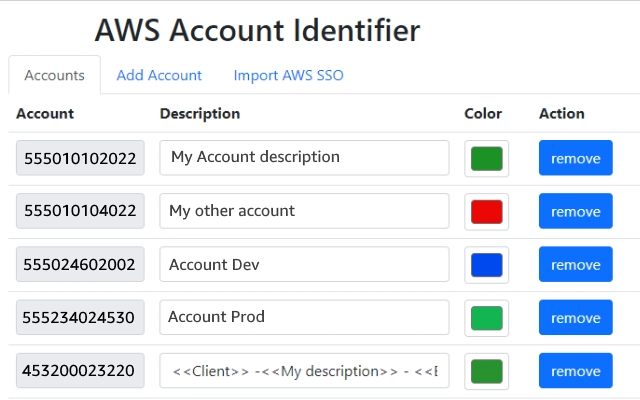
Adds a header to the Navigation Bar of AWS with a description and color based on the account you are connected to. In a multi account environment this is a very useful tool to help you to quickly identify the current account.A new feature has been added so you can import the accounts from the AWS SSO start page. This makes maintaining the accounts in this extension a lot easier.As from version 1.1.0 we stopped using an extra row on the navbar for the description as certain console feature were designed with a fixed position what would make it impossible to access certain functionalities of the AWS Console. Instead, we moved the description to the lower bar where enough space is available to add the description.version 1.2.1: Fix Account detection and improve style.

Guides & Tutorials for AWS Account Identifier Extension for Chrome

How to install AWS Account Identifier Extension for Chrome
  1. Click the Preview / Download button above.
  2. Once redirected, accept the terms and click Install.
  3. Wait for the AWS Account Identifier Extension for Chrome download to finish on your device.
How to use AWS Account Identifier Extension for Chrome

This software is primarily used for its core features described above. Open the app after installation to explore its capabilities.

User Reviews for AWS Account Identifier Extension for Chrome 0

    No reviews found

Similar Apps


